Discover, Compare & Master Find the best AI tools for your next project in seconds. Check our latest AI insights

RecordOnce AI

Verified

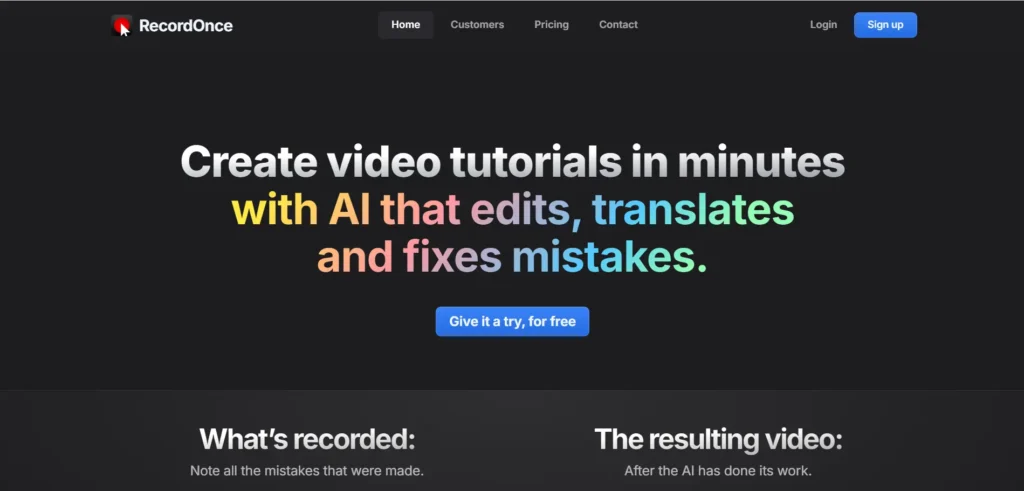
RecordOnce AI is the video tutorial creation and publishing platform that help users create instructional videos and demos.

3.7/5 editorial rating 0 upvotes
  • Main category: video
  • Subcategory: AI Video Recording
  • Pricing: Freemium
  • Web
  • Best For SaaS teams, product educators, training video creators, and documentation teams.
  • Free Trial Not available
  • Reviewed By arbaazkhan
  • Last Updated February 7, 2026

Editorial note: ratings and verdicts on this page are internal editorial assessments, not third-party user review averages.

RecordOnce AI banner image

RecordOnce AI Verdict

After using RecordOnce AI, our Daily AI Tool experts rated it as 3.8 /5. The tool can create the videos setup, record, edit, and publish. RecordOnce AI is ideal for the creating software tutorials and product demos with minimal video editing knowledge. It offers the fee tier to use the basic features, but for premium features users can switch to paid tiers.

What Is RecordOnce AI?

RecordOnce AI is the video tutorial creation and publishing platform that help users create instructional videos and demos. You can start recording the demonstration of a product or software, and the AI takes over to complete the editing and refinement process.

The platform is built on AI approach that interprets HTML/CSS interactions instead of just pixels which allows to record app usage actions. RecordOnce AI uses intelligent scene understanding, to adjust mistakes in post-production without manual editing.

The tool is perfect for SaaS product teams, support & onboarding functions, educators, and developers.


Review Summary

  • Performance Score B+
  • Content Quality Professional tutorial quality with automatic polish.
  • Interface Clean UI, easy learning curve, even for non-editors.
  • Ai Technology Records interactions (not pixels) for more intelligent editing.
  • Purpose Focused on tutorial/demo creation rather than general video editing.
  • Compatibility Web-based, with desktop app wrapper support.
  • Pricing Summary Freemium + $49/$99 monthly plans.

RecordOnce AI Key Features

  • 1

    AI-automated editing

  • 2

    Browser-aware recording

  • 3

    Automatic voice-overs & translations

  • 4

    Drag-and-drop adjustments

  • 5

    Instant publishing & hosting

  • 6

    Background music builtin

Who Should Use RecordOnce AI?

RecordOnce AI is the video tutorial creation and publishing platform that help users create instructional videos and demos.

Is RecordOnce AI Worth It?

RecordOnce AI offers a free starting point, while paid plans may make sense for heavier or team-based use.

Pros And Cons

Pros

  • Huge time savings from recording to publishing in minutes.
  • Automated cleanup filler words, and syncs timing.
  • Multi-language support with translated voice-overs.
  • No traditional video editing skills needed.
  • Hosting included all-in-one solution without additional services.

Cons

  • Less flexibility for creative or marketing videos.
  • Free plan restricts video count.
  • Pricing may scale with usage.
  • No offline or mobile-native recording yet.
  • Learning curve for non-software workflows.

RecordOnce AI Pricing

Free

$0/month

Startup Plan

$49/month

  • Up to 10 videos/month
  • Basic editing tools
  • Standard support

Professional Plan

$99/month

  • Up to 100 videos/month
  • Advanced AI editing
  • Priority support
  • Custom branding

Custom Plan

Contact for pricing

  • Video translation
  • Remove watermark
  • Data masking
  • Custom AI voices
  • Centralized branding
  • SSO
  • Custom analytics
  • Custom SLA
  • Custom integrations
  • Custom limits

Frequently Asked Questions