Editorial note: ratings and verdicts on this page are internal editorial assessments, not third-party user review averages.
Otter Verdict
Our Daily AI Tool experts rated Otter.ai 4.3/5 for its strong performance in real-time transcription and summaries creation with practical multi-platform support. The tool stands out in taking the meeting notes and speaker identification, but some users report occasional accuracy and usability issues. Otter.ai is easy to use and ideal for frequent meetings and lectures, though customer support experiences are mixed.
What Is Otter?
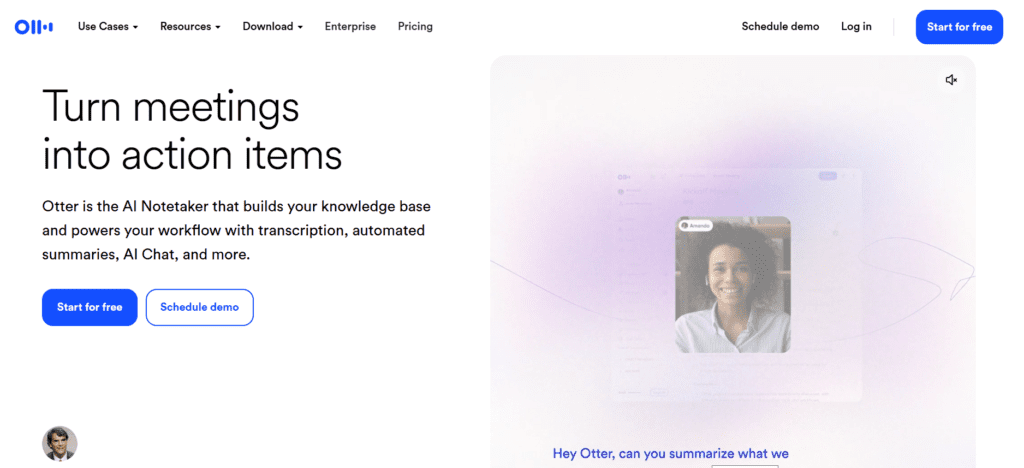
Otter.ai is a transcription and meeting intelligence platform that turns speech into editable text across live and recorded conversations. The platform uses natural language processing (NLP) and machine-learning speech recognition models to deliver real-time transcripts and summaries.
It enables real-time meeting capture, actionable summaries, and customized vocabulary, making it valuable for business teams, students, and content creators. The tool is ideal for freelancers, executives, educators, and researchers.
Review Summary
Performance ScoreA
Content QualityHigh-quality transcripts and summaries in clear, editable format.
InterfaceClean and intuitive interface across platforms.
Ai TechnologyStrong AI meeting assistant with NLP and machine learning.
PurposeIdeal for meeting note automation and searchable conversation archives.
CompatibilityWorks on web, iOS, Android, and integrates with major conferencing tools.
Pricing SummaryFree available; paid plans expand minutes and features for power users.
Otter Key Features
1
Real-time transcription for conversations
2
Automated meeting summaries with action items
3
Speaker identification
4
Customizable vocabulary
5
Integration with Zoom, Microsoft Teams, Google Meet, Slack, and calendars.
6
Searchable transcripts with export options
7
Multi-platform support
Who Should Use Otter?
Otter.ai is a transcription and meeting intelligence platform that turns speech into editable text across live and recorded conversations.
Is Otter Worth It?
Otter offers a free starting point, while paid plans may make sense for heavier or team-based use.
Pros And Cons
Pros
Excellent live and recorded transcription accuracy.
Automatic meeting summaries with action items.
Integrates well with video conferencing tools.
Clean, user-friendly interface.
Free tier available for casual users.
Cons
Transcription accuracy can drop in the presence of background noise.
The free plan has a limited number of transcription minutes.
Some users report UI search/navigation issues.
Mixed experiences with customer support.
Occasional unwanted meeting joins and privacy concerns.
Otter Pricing
Basic Plan
at $0
3 lifetime audio/video file imports
Live transcription
Speaker identification
Audio recording playback
Multi-language support
iOS and Android apps
300 monthly transcription minutes
Pro Plan
at $16.99 / Month
Everything in Basic, plus
Up to 90 mins/meeting
Advanced meeting templates
Unlimited storage
Team vocabulary & taggable speakers
Advanced search, export & playback
Zapier integration
Business Plan
at $30 / Month
Everything in Pro, plus
Up to 4 hours/meeting
Enhanced admin features: activity logs, usage analytics, and more
Join 3 concurrent meetings
Prioritized support
Enterprise Plan
Everything in Business, plus
Custom pricing
Single Sign-On (SSO)
Enterprise-grade security & controls
Domain capture
HIPAA compliance
Video replay for Zoom and Google Meet
Dedicated Customer Success Manager
Frequently Asked Questions
Yes, Otter.ai has a Basic free forever plan with limited minutes and features.
Yes, the AI can provide real-time transcription for Zoom, Teams, and Google Meet.
Primarily English with expanded support for French and Spanish transcription.
Yes, Otter AI can distinguish speakers and allows custom labeling.
Generally, Otter.ai offers high accuracy, but results vary with audio quality and accents.