Editorial note: ratings and verdicts on this page are internal editorial assessments, not third-party user review averages.
VideoStew Verdict
The Daily AI Tool experts tested the VideoStew and found it as an impressive video creation and editing tool. It's easy to use, allowing users to produce polished videos. It is beginner-friendly, offers an intuitive platform that automates video editing, and adds captions. The tool offers a free trial for 14 days after signing up. To access the features for longer, you can buy the business or individual plans according to your requirements.
What Is VideoStew?
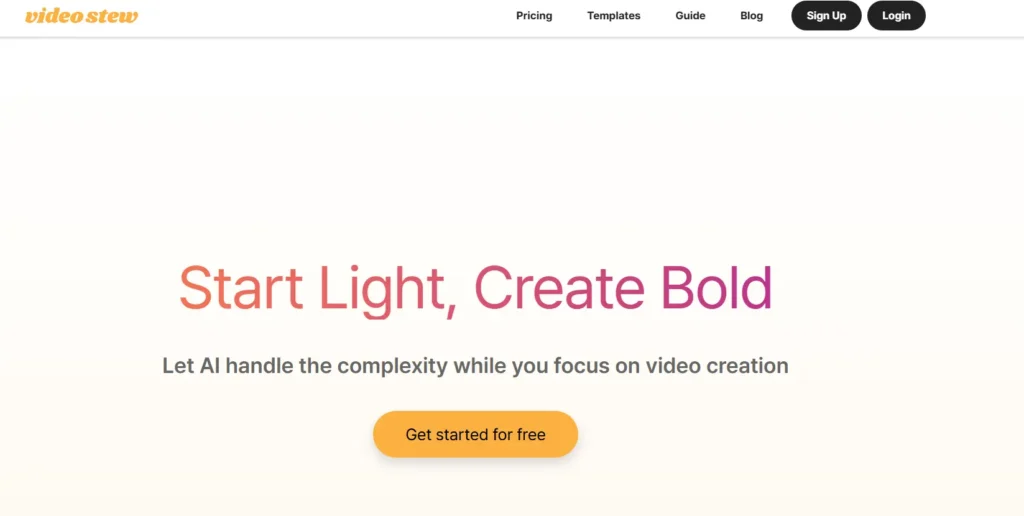
VideoStew AI is the video creation tool that lets users turn text or voice input into videos without complex editing. The tool is built on AI models such as large language models (LLMs), text-to-speech, and generative media AI.
The models help VideoStew AI stand out, reducing the manual work. The AI offers voice cloning, stock media library, and social platforms, resizing to create platform-ready videos. VideoStew AI is ideal for marketers, content creators, and teams to generate quality videos.
Review Summary
Performance ScoreA
Content QualityQuality video output for social and marketing use.
InterfaceIntuitive slide-based editor.
Ai TechnologyBuilt on LLMs, text-to-speech, and generative AI.
PurposeTurn text or voice input into publish-ready videos.
CompatibilityWeb-based platform.
Pricing SummaryMultiple subscription tiers with a 14-day free trial.
VideoStew Key Features
1
AI-generated video drafts from text, URLs, or voice
2
Smart resizing for multiple platforms
3
Customizable templates and branding
4
Beginner-friendly video editor
5
Captions and subtitle generation
6
Real-time collaboration and team workspace
7
Built-in stock media library
8
Voice cloning and AI text-to-speech narration
9
Multi-format export and cloud-based workflow
Who Should Use VideoStew?
VideoStew AI is the video creation tool that lets users turn text or voice input into videos without complex editing.
Is VideoStew Worth It?
VideoStew is a paid product, so value depends on whether its features, performance, and workflow justify the cost.
Pros And Cons
Pros
Offers a 14-day free trial, lets users explore features.
Fast video generation in a few clicks.
A fully web-based platform, no software installation required.
AI-generated captions and subtitles.
Offers team collaboration to edit and review projects.
Cons
Video length varies by subscription.
A strong internet connection is required for editing.
Higher plans can be expensive for solo creators.
AI drafts need manual editing.
No offline editing support available.
VideoStew Pricing
Personal Pack
at $24/month (Individual)
100 mins video rendering
Max 10 mins video/project
Up to 10GB Storage
Up to FHD Resolution
Create up to 1 workspace
Pro Pack
at $41/month (Individual)
200 mins video rendering
Max 10 mins video/project
Up to 20GB Storage
Up to FHD Resolution
Create up to 1 workspace
Voice cloning
Creator Pack
at $64/month (Individual)
300 mins video rendering
Max 15 mins video/project
Up to 50GB Storage
Up to FHD Resolution
Create up to 10 workspaces
Voice cloning
Inviting collaborators(~2 seats)
Brand Pack
at $128/month (Business)
Unlimited video rendering
Max 20 mins video/project
Up to 100GB Storage
Up to FHD Resolution
Create up to 10 spaces
Voice cloning
Inviting collaborators(~10 users)
Unlimited workspace creation
24/365 Customer service
Agency Pack
at $366/month (Business)
Unlimited video rendering
Max 20 mins video/project
Up to 300GB Storage
Up to FHD Resolution
Create up to 10 spaces
Voice cloning
Inviting collaborators(~10 users)
Unlimited workspace creation
24/365 Customer service
Resale License
Frequently Asked Questions
No, VideoStew AI is entirely web-based; No dedicated mobile app is available for the tool.
Yes, VideoStew AI offers professional-grade editing and effects. It is suitable for individual and professional projects.
Yes, after signing up for VideoStew AI, the new users receive a free trial for 14 days.
You can cancel your subscription anytime and request a refund.
VideoStew AI recognises speech and generates captions. You don’t need the manual input for the caption.